Skip to content
bankpage

Agency bank pages.

Give service businesses a clear public presence for merchant onboarding. Bankpage turns company details into agency branding, service pages, imagery, policies and contact forms. Generate Agency bank pages alongside Classic, Nutra and Marketplace sites in a single Flow.

Websites created with Bankpage

Turn company information into a service website.

A bank page for a business that sells expertise.

Agency gives a service company a public presence built around what it does, how it works and how a prospective client can get in touch. Generate the brand, company copy, service pages and imagery from the same workspace used for the rest of your bank page portfolio.

  • Company identity
  • Service pages
  • Project inquiries
  • Own domain

Services with their own pages

The service structure covers Meta Ads, TikTok Ads, ecommerce strategy and creative strategy. Edit the descriptions, scope and deliverables so each page reflects the business being presented.

Company context, in full

Bring together the introduction, about content, process, FAQs and project invitation. Structured content editing lets you refine the story without rebuilding the underlying page layout.

Built around project inquiries

Agency uses service discovery and contact forms instead of a shopping catalog and cart. Prospective clients can describe their needs and select the service that interests them.

Show what the company actually does.

A service business needs a clear offer before it needs a contact form. Agency organizes the company’s expertise into service pages, with editable descriptions, scope and deliverables that give a prospective client enough context to start a useful conversation.

Four services, each explained
The service structure covers Meta Ads, TikTok Ads, ecommerce strategy and creative strategy. Each has a dedicated page where the company can describe the work and the deliverables it offers.
Carry the service into the inquiry
The contact journey collects a selected service, project message, website and contact details with consent. The saved inquiry retains that context for your team’s follow-up.

From service discovery to a project brief.

/about

Understand the agency

The homepage and about content explain the company and its approach. Generate an initial version with AI, then refine the language and structured sections to fit the actual business.

/services

Review a service

The service index leads to dedicated detail pages with scope and deliverables. Prospects can understand the offer before starting a conversation about their project.

/contact

Send a project inquiry

Collect the contact name, email, website, selected service and project message, with consent. The form gives the inquiry useful context instead of sending a visitor to a generic mailbox link.

Inquiries

Follow up from the workspace

Search and review the saved requests in Bankpage. The inquiry record gives your team the information needed for a follow-up or proposal; replies and proposal delivery remain part of your own sales process.

Give every agency a distinct presence.

AI handles the creative work.

AI generates the logo, favicon, company text, editorial imagery and design. Service-led page sections, the color palette, typography and component mix create an identity for that agency, with the generated content available for refinement in the editor.

Imagery that supports the services

Generate editorial assets for the company’s pages and review them in context. Replace an image or regenerate a selected asset when the visual direction needs to change, while keeping the company content and service structure in place.

Logo & favicon

Generate a matching identity for the website header, browser tab and brand assets.

Website copy

Create the site’s written content from the business brief, then edit the sections that need a more specific voice.

Design & layout

Save colors, typography, section order and component choices per website, with responsive previews as you refine them.

Distinct branding for each company.

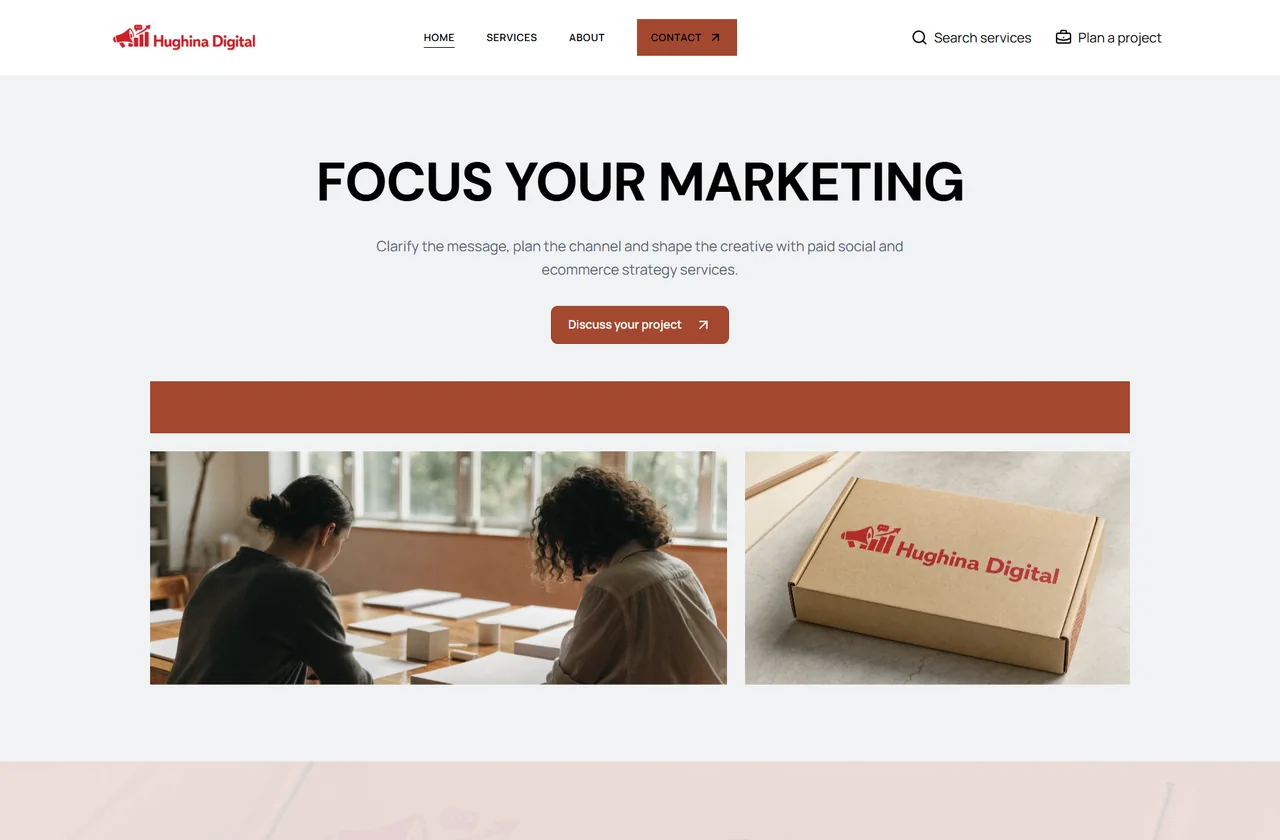
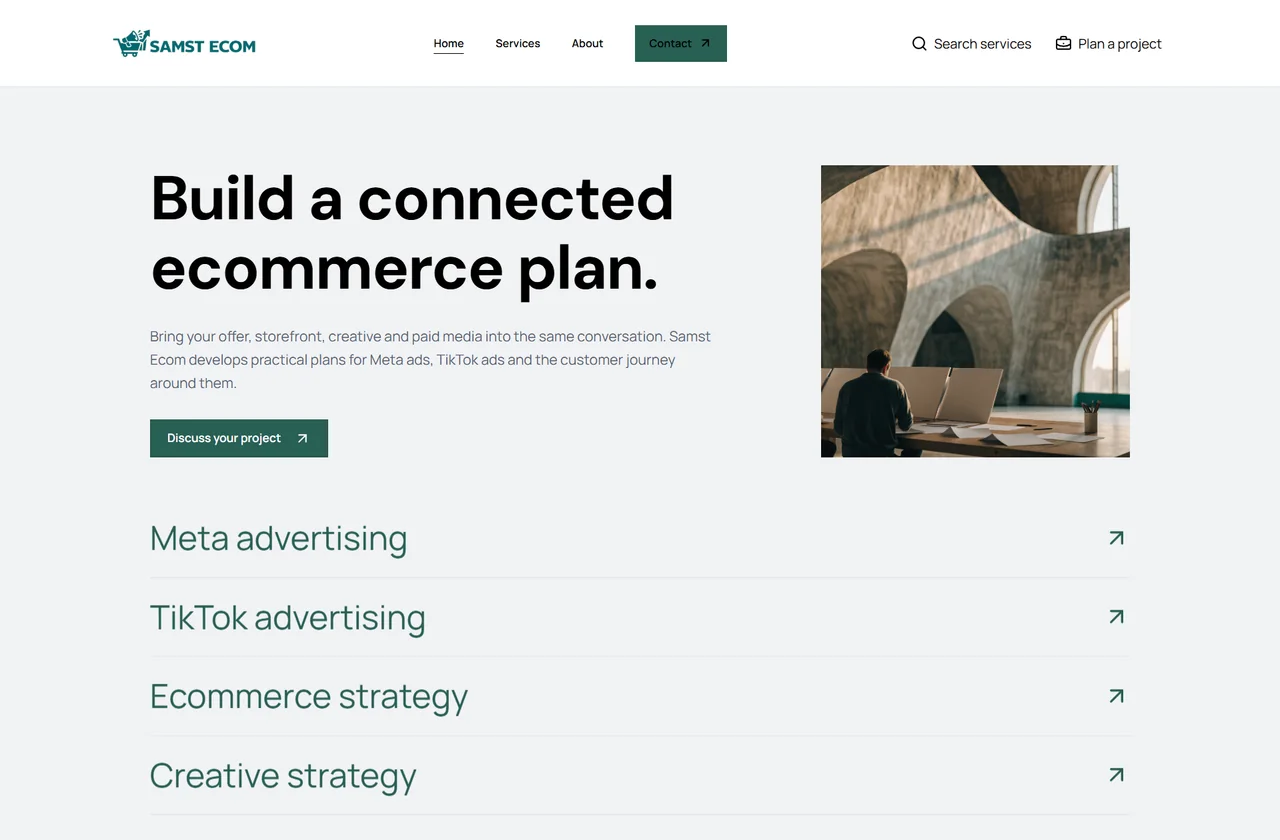
Agency sites use service-led compositions, company copy and editorial imagery. AI generates the identity and design for each company; you can then refine the language and layout. These generated examples show different ways to put expertise and the business behind it at the center.

Hughina Digital: generated website with its own logo, visual identity and page composition
Hughina Digital
Samst Ecom: a different brand and layout within the same website type
Samst Ecom
Logo & faviconWebsite copyColor, type & layout

Add an agency to the company’s portfolio.

The company record carries through.

Keep site identity, generation progress, previews and final domain status connected to the company and the batch that created them.

  1. Select the company

    Use the existing legal business record and review its company contact details. Flow supports one Agency site per company alongside any planned Classic, Nutra and Marketplace bank pages.

  2. Prepare the business brief

    Set the service descriptions, deliverables and company context. The planned website stays linked to the same company used by the rest of the portfolio.

  3. Generate and refine

    AI produces the agency’s branding, content, imagery and site-specific design. Edit individual sections and service content while reviewing the responsive website preview.

  4. Publish and receive inquiries

    Connect the company’s domain, check publication status and open the final website. Incoming contact requests then appear in the workspace’s Inquiries screen.

Keep the offer clear as the company evolves.

Use the website editor to refine the generated company narrative and service information. Structured sections let you make the offer more precise while retaining the website’s design, contact journey and legal destinations.

Edit the scope and deliverables
Update each service description, the process and common questions to match the work the business provides. The content stays focused on the company’s actual expertise.
Review the company presentation
Adjust the introduction, about content, imagery and section arrangement. Preview the responsive pages before publishing a new content revision.
Work from the saved inquiry
Search submitted requests in the workspace and review the service, contact information and project brief together. Use those details in your own follow-up and proposal process.

Present the company behind the services.

Merchant information, connectedCompany · Services · Contacts · Legal pages

Business contact details

Reuse the linked company’s name, address, business phone and email. Manage site-specific settings when the agency needs different support information from the other brands.

Service scope and deliverables

Keep the descriptions clear about the services the company offers. Edit structured service content, process information and common questions so reviewers can understand the commercial activity.

Legal pages and consent

Keep the site’s contact and legal destinations accessible. The inquiry form records consent alongside the project information submitted by the visitor.

A working public presence

Review the company pages, services and inquiry form on the hosted preview. Domain and publication checks help you confirm that the same website is reachable through its final address.

Hosted, connected and manageable at scale.

Preview first. Publish on your domain.

Every generated website has a hosted preview. Connect an existing domain or use the configured registrar workflow to check availability and purchase one within the budget you set. DNS verification, HTTPS and the website’s publication state stay visible in the portfolio.

Keep the whole portfolio in one workspace.

Manage websites, company records, content, catalogs, assets and domain settings together. Reopen any site to update its configuration or regenerate an asset instead of starting from a blank project.

Prepare a FlowLaunch generationRead progressRetrieve URLs

Run the same workflow through the API.

Use API keys and the downloadable guide to connect your automation or AI agent. Prepare and launch batches, poll their status, inspect individual results and retrieve the final website addresses through documented HTTP endpoints.

Questions about Agency

Does an Agency website include a checkout?

Agency sites are built around company information, services and project inquiries. The shopping catalog, cart and checkout belong to the ecommerce site types.

Where do contact form requests go?

Requests are saved in your Bankpage Inquiries workspace. The capture workflow does not provision a mailbox or automatically send email replies.

Are Meta Ads and TikTok Ads connected accounts?

They are service pages on the agency website. They do not connect an advertising account or manage campaigns through the advertising platforms.

Launch your next batch with Bankpage.

Start my 3-day free trial$499/monthUnlimited platform access