Skip to content
bankpage

Dropshipping & Classic bank pages.

Prepare ecommerce bank pages for merchant onboarding without building each site by hand. Choose companies, categories and quantities in one batch. Bankpage generates the branding, content, imagery and design, matches catalog products and brings the finished pages into your hosted portfolio.

Websites created with Bankpage

A focused catalog, built around your prices.

Products matched to your category.

Start with the kind of business you want to present, from home accessories to jewelry or gardening. Classic keeps each bank page focused on one category. Flow checks the available catalog and matches a product to each selected price before the website is generated, so the commercial plan is visible from the beginning.
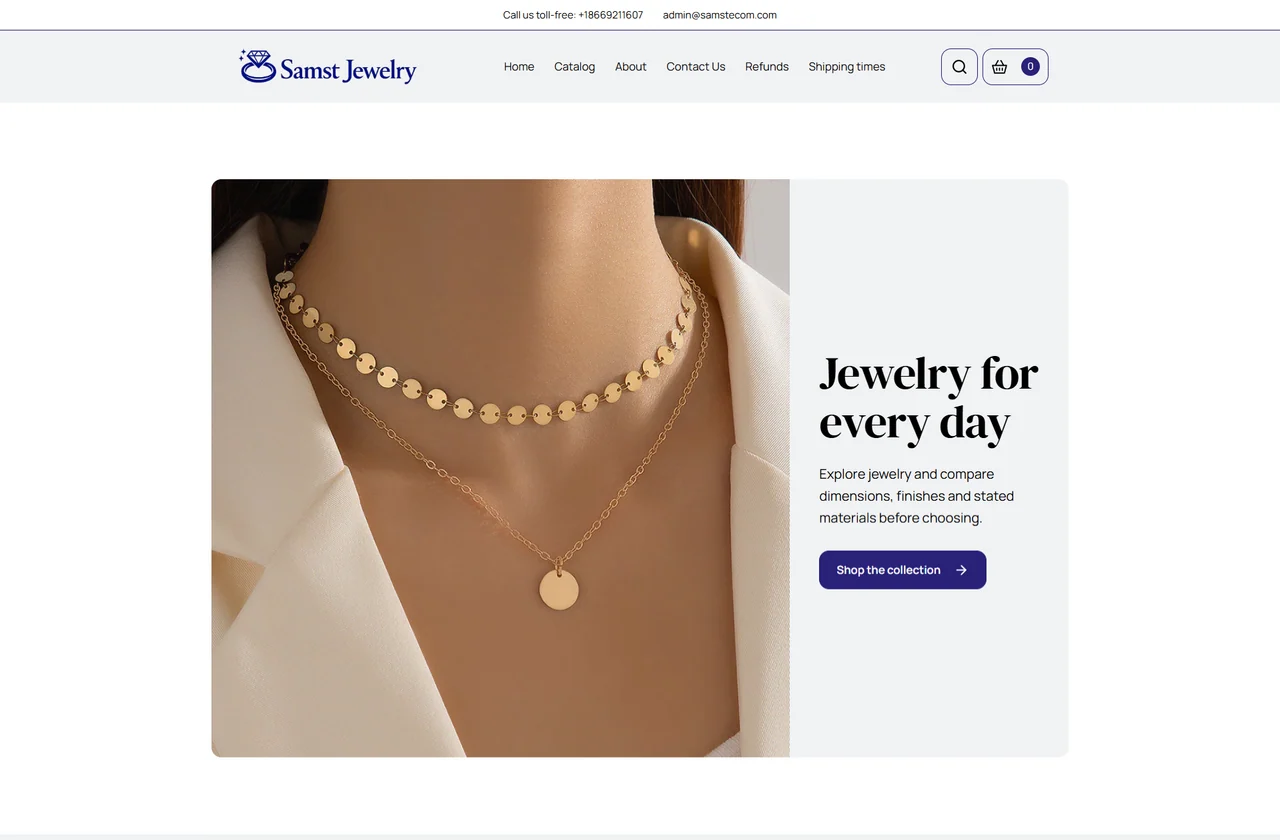
Samst Jewelry website: Product photography, a split opening and a deep indigo palette.
  • One category
  • 10–20 prices
  • Matched products
  • One catalog

A product for each price

Set 10 to 20 distinct price points when preparing a new Classic Flow. Review the matched product names, prices and images in the plan, then manage the selected assortment from the website editor.

A single, clear catalog

Customers reach the complete assortment through Catalog. Classic avoids the department menus and nested category navigation used by a Marketplace, keeping a focused business easy to understand.

Product records you can inspect

Descriptions, images and supplied specifications stay connected to the product. Review availability before generation, and update individual records without rebuilding the rest of the site.

The prices come first. The products follow.

A focused shop starts with a deliberate assortment. Set the prices you need, then let Flow find an eligible category with a product at every selected price. You can inspect that commercial structure before any website content is generated.

See what will go into the shop
The saved plan brings the category, product names, photographs and prices together. You are reviewing an actual selection from the catalog, with the exact products carried into the website.
Resolve gaps before the batch starts
If the catalog cannot cover the selected prices, preparation identifies the missing coverage. Adjust the plan while it is still a draft, then review the complete assortment again.

From the first product to checkout.

/catalog

Home & catalog

A branded homepage introduces the business and its products. The catalog presents the selected assortment with images and prices, while product sections give visitors more than one way to discover it.

/p/product

Product details

Dedicated pages bring together the product gallery, description, specifications, price and quantity selection. Related products help visitors continue browsing without losing the context of the store.

/checkout

Cart & checkout

Customers review their items, quantities and total, then enter contact and delivery information. Payment configuration, billing information and the store’s policy links remain part of the same journey.

/contact

Customer information

Company contact details, shipping times, refunds and legal pages stay accessible throughout the website. Configure the merchant information once and carry it into the customer-facing pages.

A new brand for every bank page.

AI handles the creative work.

AI generates the logo, favicon, copy, editorial imagery and visual direction for each site. Colors, fonts, layout and component choices belong to that brand, so your next Classic website does not inherit the appearance of the previous one.

Images for the brand and its products

Use catalog photography for the selected products and generate editorial images for the website. The asset workflow keeps product photography separate from decorative content, with review and regeneration controls when a specific image needs attention.

Logo & favicon

Generate a matching identity for the website header, browser tab and brand assets.

Website copy

Create the site’s written content from the business brief, then edit the sections that need a more specific voice.

Design & layout

Save colors, typography, section order and component choices per website, with responsive previews as you refine them.

Distinct designs for different product ranges.

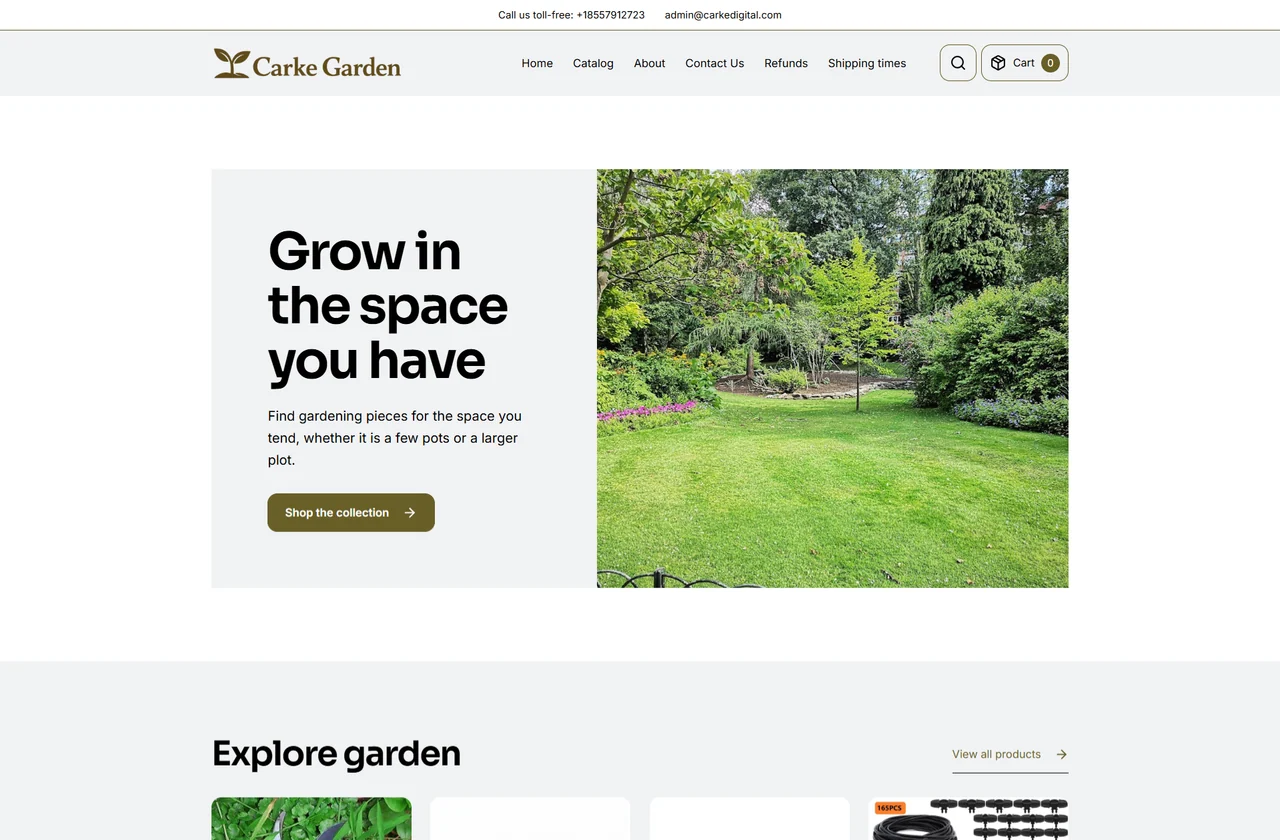
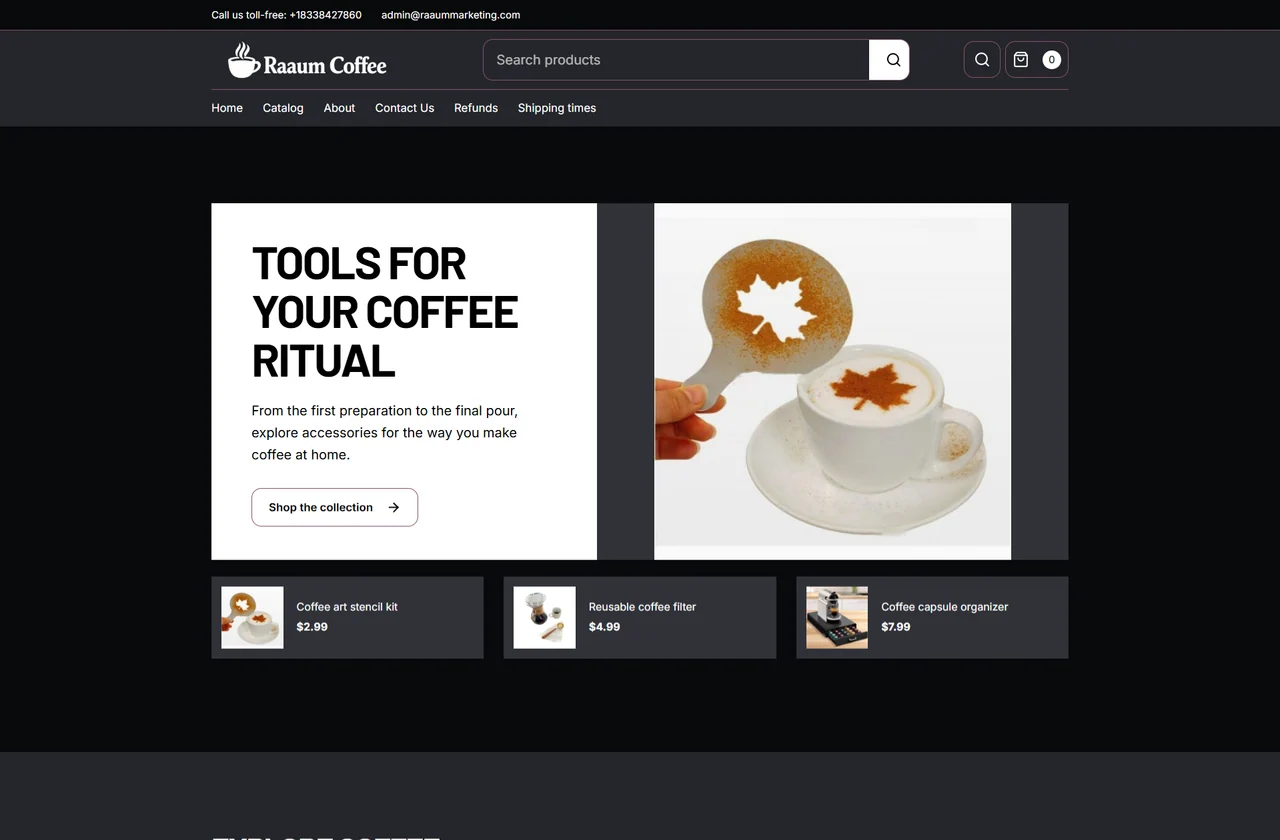
The same production workflow can create very different retail identities. Each website combines its own brand assets, editorial direction, typography and page structure. These generated Classic examples show how the product category can lead the composition, from an airy garden storefront to a dark coffee collection.

Carke Garden: generated website with its own logo, visual identity and page composition
Carke Garden
Raaum Coffee: a different brand and layout within the same website type
Raaum Coffee
Logo & faviconWebsite copyColor, type & layout

Build a portfolio without repeating the setup.

The company record carries through.

Keep site identity, generation progress, previews and final domain status connected to the company and the batch that created them.

  1. Select companies and quantities

    Choose the company records and how many Classic sites each needs. Add Nutra, Marketplace or Agency sites to the same plan when your portfolio needs a mix.

  2. Review the prepared assortment

    Inspect the category, matched products, prices, site identity and domain choices. Catalog availability and required company information are checked before production starts.

  3. Let AI run the production work

    The batch coordinates content, branding, imagery and design for the selected websites. Follow each site’s stage and retry an item that needs attention without restarting completed sites.

  4. Check and publish

    Open the hosted preview, inspect product and policy pages, and track publication readiness. Connect the domain when you are ready to make the bank page publicly accessible.

Refine the shop, one section at a time.

Keep the generated website as your starting point. The editor gives you control over the actual content, imagery and arrangement of the pages, so a precise change does not become another complete website project.

Make the copy specific
Edit the brand introduction, product-facing text and FAQs in their structured sections. Keep supplied product specifications and merchant information accurate as you refine the voice.
Choose what visitors see
Adjust section order and visibility, swap media and change image framing. Review the resulting composition on desktop and mobile before publishing the content.
Keep a controlled publishing step
Save changes as a draft, inspect the preview and publish the version you intend to share. Content history lets you return to an earlier revision when a change needs to be undone.

Make the business easy to review.

Merchant information, connectedCompany · Products · Policies · Checkout

Company identity

The legal business name, address, support email and company phone come from the linked company record. Website-specific contact settings let you manage exceptions without changing every other brand.

Delivery and returns

Configure shipping information, delivery expectations, refund terms and the return facility. The generated pages give customers and reviewers a consistent place to find those details.

Payments and billing

Set gateway credentials, tokenization and the applicable processing mode. Keep the billing descriptor and checkout information connected to the website’s merchant settings.

Publication checks

Review the merchant checklist alongside content, product images, domain and gateway status. Resolve incomplete settings before you share the final URL with a bank, processor or ISO.

Hosted, connected and manageable at scale.

Preview first. Publish on your domain.

Every generated website has a hosted preview. Connect an existing domain or use the configured registrar workflow to check availability and purchase one within the budget you set. DNS verification, HTTPS and the website’s publication state stay visible in the portfolio.

Keep the whole portfolio in one workspace.

Manage websites, company records, content, catalogs, assets and domain settings together. Reopen any site to update its configuration or regenerate an asset instead of starting from a blank project.

Prepare a FlowLaunch generationRead progressRetrieve URLs

Run the same workflow through the API.

Use API keys and the downloadable guide to connect your automation or AI agent. Prepare and launch batches, poll their status, inspect individual results and retrieve the final website addresses through documented HTTP endpoints.

Questions about Dropshipping & Classic

What does Classic mean in Bankpage?

Classic is the product’s name for a focused, single-category ecommerce site. It is the site type used for the Dropshipping & Classic option.

Can I change the products before launching?

Yes. Product pre-matching, category selection and per-store product controls let you review the assortment before generation and manage it in the website editor.

Does Bankpage fulfill orders?

Bankpage provides the website, catalog, customer information and checkout configuration. Supplier sourcing, fulfillment and shipping operations remain with your business and its providers.

Launch your next batch with Bankpage.

Start my 3-day free trial$499/monthUnlimited platform access