Skip to content
bankpage

Marketplace bank pages.

Prepare complete multi-category bank pages without sourcing an entire catalog yourself. Start with 100,000+ products and let Bankpage generate each site’s branding, copy, design and category navigation. Run Marketplace generation alongside your other bank pages in the same batch.

Websites created with Bankpage

A broad catalog, organized from the start.

Start from 100,000+ catalog products.

Marketplace brings multiple categories into a single retail bank page. Browse the prepared catalog, select the departments that fit the business and review the planned product mix. Bankpage connects the assortment to category navigation and product pages, then generates the brand and the surrounding website.

Rozen MarketplaceBrowse departments
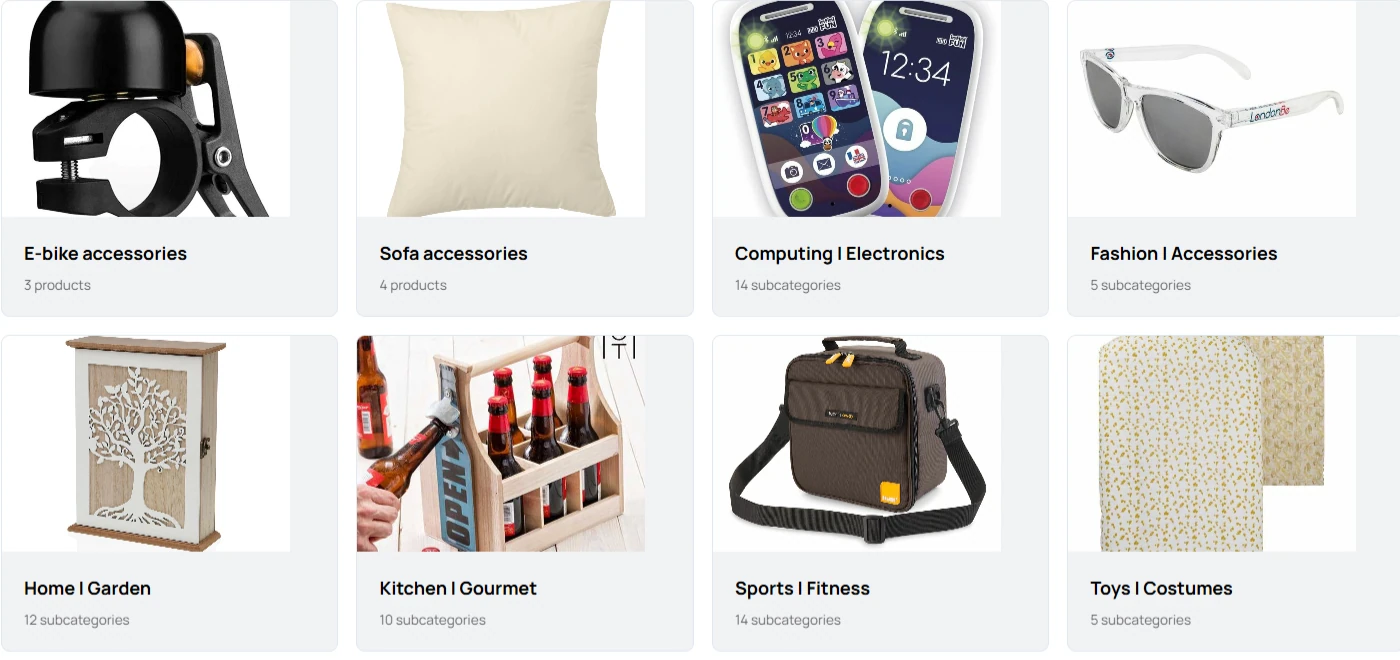
Rozen Marketplace department cards for e-bike accessories, sofa accessories, computing, fashion, home and garden, kitchen, sport and toys
  • 100,000+ products
  • Departments
  • Subcategories
  • One storefront

Categories and subcategories

Keep the catalog hierarchy visible instead of flattening everything into one collection. Manage root categories, their children and the products selected for the website.

A mix built for the format

Marketplace uses a category-based product mix rather than Classic’s one-product-per-price setup. Inspect the planned selection and manage the actual assortment from the website and catalog tools.

Catalog records, ready to inspect

Search descriptions, prices, images and specifications before selecting products. Use the prepared records or add your own catalog entries to build an assortment suited to the company.

Organized departments, connected products.

A broad retail business needs an understandable map. Marketplace keeps eligible departments, their subcategories and selected products connected, giving visitors a path from the homepage to the part of the catalog that interests them.

Preserve the catalog hierarchy
Flow prepares the eligible category mix with the parent categories needed for navigation. The resulting structure supports department menus, category discovery and collections within one storefront.
Keep the purchase journey shared
Products from different departments belong to the same merchant and use one cart and checkout. Contact details, payment configuration and customer policies remain consistent across the site.

A customer can find the right department.

Category menus

Department navigation

Marketplace-specific navigation exposes the site’s categories and subcategories. Category discovery sections help visitors understand the breadth of the store from its homepage.

/catalog

Collections and search

Customers browse collection pages or search the catalog. Curated product sections can surface new arrivals and store picks without forcing every item into the homepage.

/p/product

Complete product pages

Each selected product has a consistent destination for images, descriptions, specifications, price and quantity. Related items extend discovery while keeping the customer within the same brand.

/checkout

One cart across categories

The shopping journey shares one cart and checkout across the assortment. Customer details, delivery information, payment configuration and policy access stay connected to the same merchant.

Every department, unmistakably your brand.

AI handles the creative work.

AI creates the Marketplace logo, favicon, copy, imagery and visual direction. The website’s own colors, typography, section order and component choices apply across its departments, product pages and checkout, while remaining independent from other stores in the portfolio.

A catalog supported by visual content

Use the selected products’ photography in collection and detail pages. Generate editorial imagery for the wider website, then review and replace assets in the editor so a large assortment still feels like one coherent retail business.

Logo & favicon

Generate a matching identity for the website header, browser tab and brand assets.

Website copy

Create the site’s written content from the business brief, then edit the sections that need a more specific voice.

Design & layout

Save colors, typography, section order and component choices per website, with responsive previews as you refine them.

A large catalog can still feel like one brand.

The shared identity carries across category navigation, product pages and customer information. Each Marketplace has its own logo, imagery, copy and design configuration. These generated examples use different visual compositions while keeping a broad assortment under one retail name.

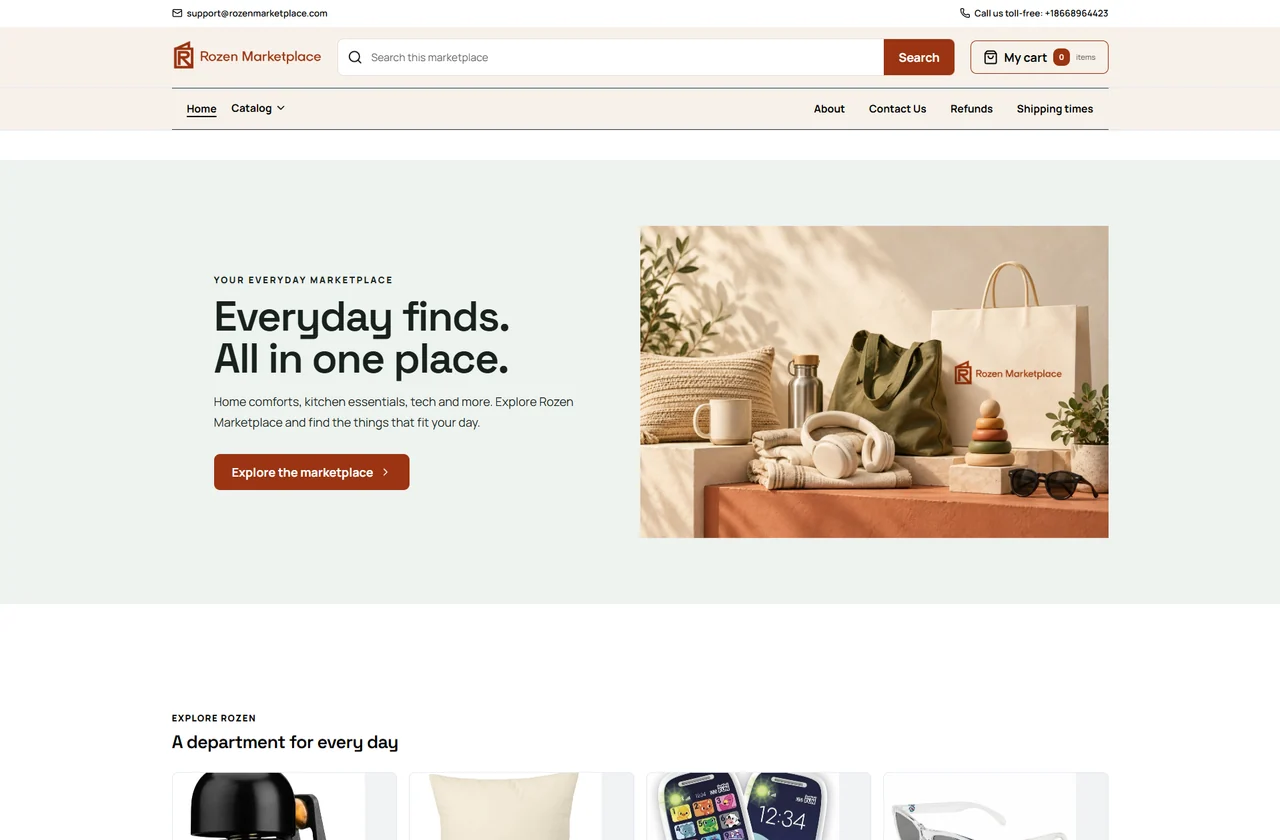
Rozen Marketplace: generated website with its own logo, visual identity and page composition
Rozen Marketplace
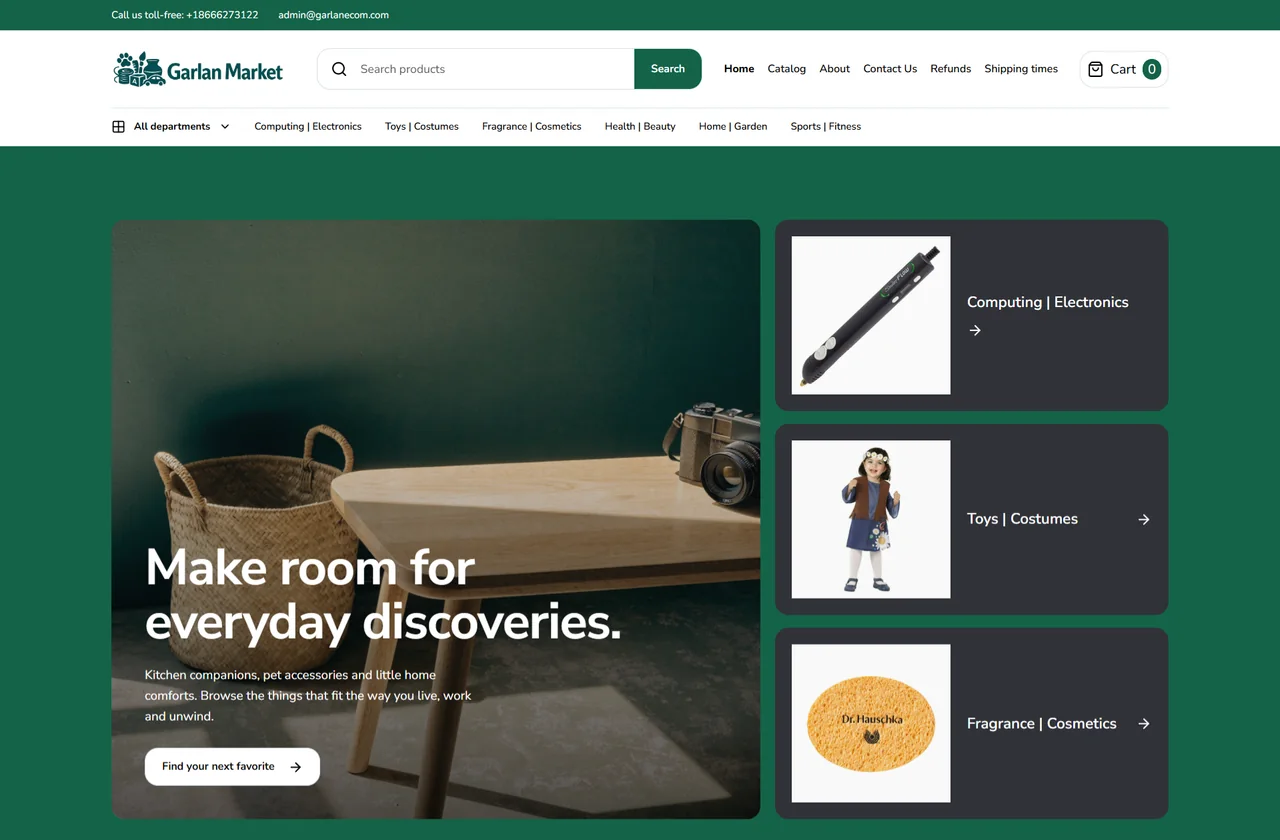
Garlan Market: a different brand and layout within the same website type
Garlan Market
Logo & faviconWebsite copyColor, type & layout

Generate your next Marketplace portfolio.

The company record carries through.

Keep site identity, generation progress, previews and final domain status connected to the company and the batch that created them.

  1. Choose companies and site counts

    Select the companies that need a Marketplace and add the desired quantities to the Flow. The same batch can include focused Classic sites, Nutra brands and Agency websites.

  2. Confirm the category mix

    Review the categories and prepared assortment for each website. The plan also brings together the site identity, linked company and domain choices before generation begins.

  3. Generate the complete experience

    AI coordinates branding, content, imagery and design while the Marketplace structure connects the departments and products. Follow the progress of each website within the batch.

  4. Review, connect and publish

    Inspect the hosted preview, category navigation, product pages and customer policies. Track domain verification and publication readiness without leaving the portfolio.

Manage the whole store without flattening it.

A Marketplace combines a structured catalog with editable website content. Maintain each at the right level: products and categories for the assortment, page sections for how the brand presents that assortment.

Refine the category mix
Inspect the site’s categories and selected products from the website and catalog tools. Keep product descriptions, images and specifications connected to the records visitors actually browse.
Give the homepage a clear focus
Edit the introduction, collection references, editorial images and supporting sections. Adjust their order and visibility so the homepage introduces the store without trying to display every product.
Review beyond the homepage
Check the category paths, product detail pages and shared customer journey in the hosted preview. Save and publish content revisions while keeping the site’s domain and publication settings in its own record.

One merchant identity across the whole store.

Merchant information, connectedCompany · Products · Policies · Checkout

Clear company information

Connect the website to its legal business record, support contacts and company details. The same merchant information applies across the product range rather than changing from department to department.

Shared shipping and returns

Manage delivery information, return facilities and refund terms for the store. Customers can find the same policy destinations while browsing different categories or completing checkout.

Payment configuration

Keep the gateway settings, billing descriptor and checkout information with the store. Review payment readiness alongside the other merchant and publication checks.

A retail website format

Marketplace means a multi-category storefront operated by your business. It does not create a seller portal, separate vendor accounts or a seller payout system.

Hosted, connected and manageable at scale.

Preview first. Publish on your domain.

Every generated website has a hosted preview. Connect an existing domain or use the configured registrar workflow to check availability and purchase one within the budget you set. DNS verification, HTTPS and the website’s publication state stay visible in the portfolio.

Keep the whole portfolio in one workspace.

Manage websites, company records, content, catalogs, assets and domain settings together. Reopen any site to update its configuration or regenerate an asset instead of starting from a blank project.

Prepare a FlowLaunch generationRead progressRetrieve URLs

Run the same workflow through the API.

Use API keys and the downloadable guide to connect your automation or AI agent. Prepare and launch batches, poll their status, inspect individual results and retrieve the final website addresses through documented HTTP endpoints.

Questions about Marketplace

How is Marketplace different from Classic?

Marketplace brings multiple categories into a broader shopping experience. Classic focuses on one collection and uses the single-category price-point selection workflow.

Can I customize category navigation?

Yes. Marketplace has category menus and discovery components, with variants and website-level configuration for the rendered interface.

Does Marketplace include seller onboarding?

Marketplace describes the multi-category storefront format. It does not provide a separate multi-vendor seller portal, seller payouts or vendor onboarding workflow.

Launch your next batch with Bankpage.

Start my 3-day free trial$499/monthUnlimited platform access